
PocketBase 0.42.2 accepted a superuser login 2.28 seconds after the download started and idled at 29,496 kB. Supabase Free is $0 inside 500 MB. Pro is $25.
On this page
The short answer
PocketBase vs Supabase comes down to who runs the machine. Pick PocketBase if you want one binary and you can live with SQLite before version 1.0. On this VM, version 0.42.2 let a superuser sign in 2.28 seconds after the download started, and it then sat at 29,496 kB. Pick Supabase if you want managed Postgres: Free is $0 inside a 500 MB database and pauses after a quiet week, and Pro is $25 a month.
PocketBase vs Supabase is one file you run, against a Postgres project someone else runs. PocketBase is a single binary with SQLite, auth, files, and realtime subscriptions. Supabase is Postgres plus those products, on their cloud, or as a Docker stack you host. If the other managed backend is Firebase, the bill at three sizes is in Supabase vs Firebase.
What we tested
Checked
The clock started when the download request was sent on November 13, 2026, and stopped when a superuser password login returned 200. The client was Python urllib. The zip was saved, unzipped, and then the binary ran. The machine was Linux 6.12.113+ x86_64, 4 vCPUs, model name “Intel(R) Xeon(R) Processor”, MemTotal 16,387,328 kB.
Not in this run: a collection, a file upload, a realtime client, TLS, a second process, a query benchmark, and any Supabase process. Supabase’s limits below are the pricing page, not a project that was opened. GitHub’s latest release that day was v0.40.6, published October 23, 2026. The v0.42.2 tag URL on GitHub returned 404. The binary is the one the PocketBase docs page links, hosted at ganigeorgiev.com.
What each one is
The PocketBase intro, read November 13, 2026, calls it an open source backend: an embedded SQLite database, realtime subscriptions, builtin auth, a dashboard, and a REST-ish API. You can use it as a Go framework or as the standalone executable. The same page says it is still under active development, that full backward compatibility is not guaranteed before 1.0.0, and that it is not recommended for production-critical applications unless you will read the changelog and apply migration steps yourself.
The download links on that page are v0.42.2. The Linux x64 link is the zip this run used. The page describes the zip as about 12 MB. The file saved here was 12,859,580 bytes.
Supabase is a hosted project. Every plan includes Postgres, Auth, Storage, Realtime, and Edge Functions, and unused products cost nothing. API requests are unlimited, including on Free. Free is $0 a month: 50,000 monthly active users, 500 MB database size, shared CPU, 500 MB RAM, 5 GB egress, 5 GB cached egress, and 1 GB of file storage. Two active projects. A free project pauses after a week of inactivity. Pro is $25 a month, charged up front, with 8 GB of disk, 250 GB of egress, 100 GB of files, and a $10 compute credit that covers one Micro instance. Paid projects are not paused.
The two are not the same job. PocketBase is the whole backend in one process you start. Supabase Free is a hosted project with a pause. Supabase self-hosted is a Docker Compose stack, which is a later section.
Both sit on the backend and stack page with the other database picks.
Setup, measured
These are the commands that ran, with the password left out. It was a local string of more than 8 characters, which is the minimum the superuser password field enforces. The data directory was an empty folder next to the binary. The --dir value on the run was that folder’s absolute path. The block below writes it as pb_data.
GET https://ganigeorgiev.com/meta/pocketbase/pocketbase/download/v0.42.2/pocketbase_0.42.2_linux_amd64.zip
unzip -q -o pocketbase_0.42.2_linux_amd64.zip
./pocketbase superuser create [email protected] <password> --dir=pb_data
./pocketbase serve --http=127.0.0.1:8090 --dir=pb_data
GET http://127.0.0.1:8090/api/health
POST http://127.0.0.1:8090/api/collections/_superusers/auth-with-password
ps -o rss= -p <pid>
./pocketbase --version printed pocketbase version 0.42.2. superuser create exited 0 and printed Successfully created new superuser "[email protected]". That command finished before serve started, so the account existed when the process came up.
/api/health returned 200 with this body:
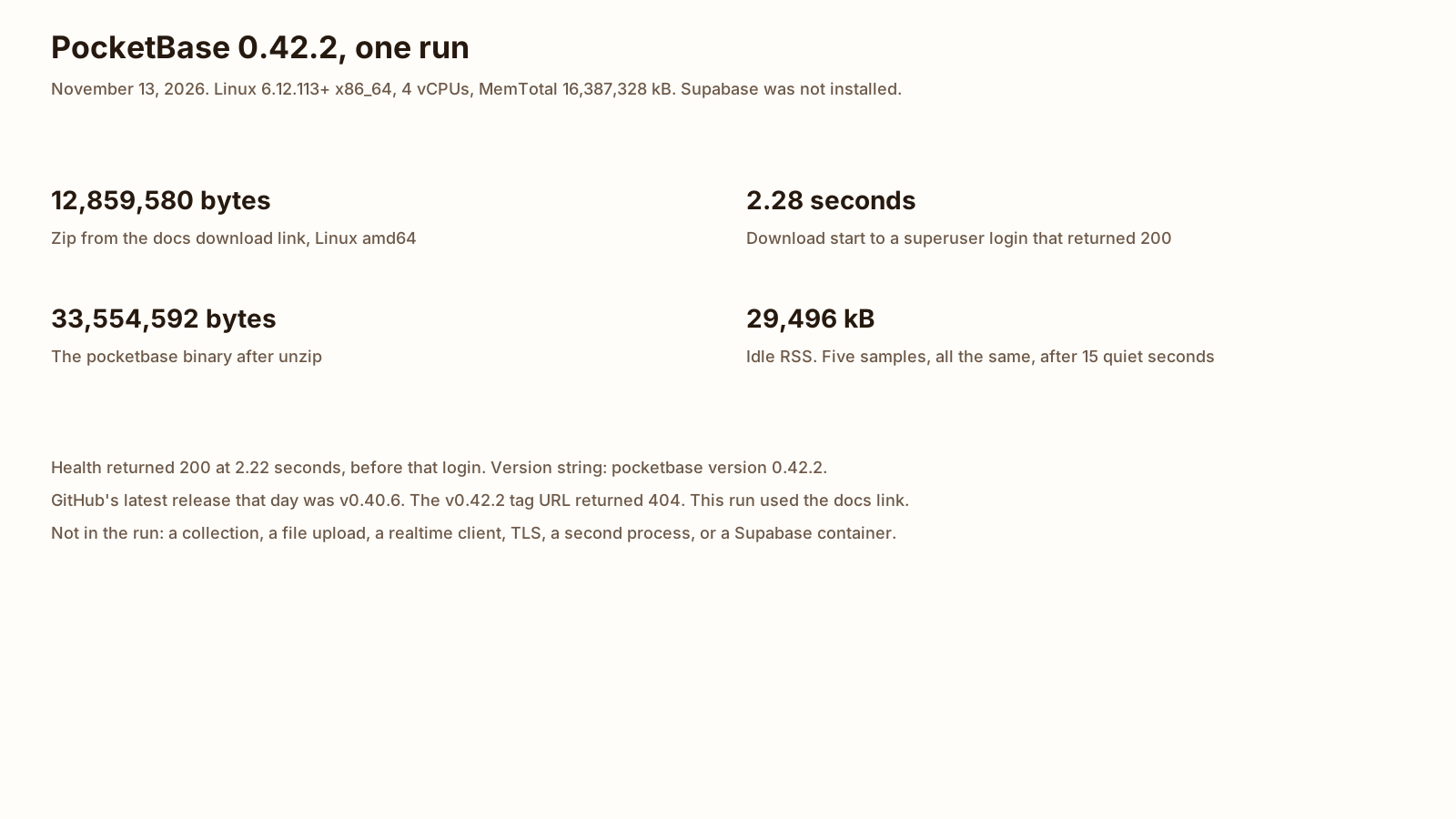
{"message":"API is healthy.","code":200,"data":{}}That health response arrived 2.22 seconds after the download started. The timer was 2.221 seconds, rounded to the hundredth. The superuser login returned 200, with a token, at 2.28 seconds. The timer was 2.276 seconds, rounded to the hundredth. The 2.28 second figure is the one in the short answer, because that is when both the account and a live API had been shown together.
Idle memory was read after that login, with no further requests. The process slept 15 seconds. Then ps reported RSS five times, one second apart: 29,496 kB, 29,496 kB, 29,496 kB, 29,496 kB, 29,496 kB. /proc/<pid>/status showed the same VmRSS, 29,496 kB. Divided by 1,024, that is 28.8 MiB to one decimal place.
| Measure | Result |
|---|---|
| Version string | pocketbase version 0.42.2 |
| Zip size | 12,859,580 bytes |
| Binary size | 33,554,592 bytes |
| Zip sha256 | a04d3a071c274b57c6592a65d1d03466ee11adf141ebb50bfcf9d986ead2026a |
| Health 200 | 2.22 seconds from the start of the download |
| Superuser login 200 | 2.28 seconds from the start of the download |
| Idle RSS | 29,496 kB, five identical samples |
-
2.28 s
Download start to a superuser login
-
29,496 kB
Idle RSS, five samples
-
12,859,580
Zip bytes, Linux amd64
-
0.42.2
Version the docs page links
The production guide shows the same shape for a server: upload the executable, run pocketbase serve with a domain when you want the built-in certificate, or create the first superuser with pocketbase superuser create. A systemd unit is optional. So is a reverse proxy. There is no official Docker image. The guide’s sample Dockerfile sets a version argument. On the day of this run that sample said 0.42.2, which matches the docs download and the binary that printed the version above.
Database: SQLite vs Postgres
PocketBase’s database is SQLite, embedded in the process. The intro says the executable creates pb_data beside itself and stores the application there. Backup, on the production guide, is a copy of that directory while the process is stopped, or the built-in backup API from version 0.16 onward, which zips pb_data. A large data directory, the guide’s example is 5 GB and up, is slow enough that it points you at a SQLite backup plus a file copy instead.
Supabase is Postgres. The pricing page’s Free database cap is 500 MB. Pro includes 8 GB of disk and then charges $0.125 per GB. The compute size under Pro starts at Micro, 1 GB of RAM, covered by the $10 credit. That is a server you connect to, not a file next to a binary.
The local difference, measured on this site with SQLite 3.53.4 and PostgreSQL 16.15, is in SQLite vs Postgres. One writer was faster on SQLite for the inserts in that test. Eight writers on SQLite got slower. PocketBase inherits that single-file shape. The numbers on this page stay the boot and the idle RSS.
Hosted Postgres that can sleep between requests, with its own free caps, is Neon vs Supabase. That is the other way to avoid running the machine yourself.
Auth, storage and realtime
PocketBase auth is in the binary. The intro’s first-run step is the superuser, created from the command this run used, or from an installer link the server prints. Application users are records. The production guide recommends SMTP for mail, because the default sendmail path is a poor fit for real email, and it recommends the built-in rate limiter and a superuser IP allowlist. Those were not turned on here. The process ran with defaults, bound to localhost.
Files live in pb_data unless you point storage at S3. The production guide says settings, including an SMTP password and S3 credentials, are plain JSON in the database unless you pass an encryption key. Realtime is in the intro’s feature list as subscriptions. The 29,496 kB figure is an idle process with one superuser and no app data. Subscriptions and file uploads sit outside that figure.
Supabase Auth, Storage, and Realtime are included on Free and on Pro. Free caps from the pricing page, read November 13, 2026: 50,000 monthly active users, 1 GB of files, a 50 MB max upload, 200 concurrent realtime connections, 2 million realtime messages a month, and a 256 KB max message. Pro raises those: 100,000 monthly active users and then $0.00325, 100 GB of files, 500 concurrent realtime connections, and 5 million messages. Cached egress is a separate 5 GB on Free and 250 GB on Pro.
Cost and hosting
PocketBase has no plan fee. The cost is the machine. On this VM the idle process was 29,496 kB. That is not a hosting invoice. A VPS price is not invented here.
Supabase Free is $0 while you stay inside the caps above, and the project pauses after a week with no activity. You can pause it yourself and keep paused projects. Pro is $25 a month for the plan, and one Micro project is covered by the included compute credit, so a single project inside the quotas is $25 before extra disk, egress, or a second project. The worked Postgres comparison against a usage-priced host is a different page.
Self-hosting Supabase is real, and it is not the $0 Free plan. The self-hosting guide says Docker is the recommended way to run it on your own server. You then own provisioning, security updates, Postgres maintenance, high availability, backups, and monitoring. The guide says branching, managed backups, point-in-time recovery, and the Management API are not in the self-hosted stack. The CLI local stack is called out as a development tool, not a deployment you put on the internet. Supabase does not publish a RAM figure for that Docker stack on the page read today, so this post does not borrow the 29,496 kB number and call it a Supabase measurement.
| Line | PocketBase 0.42.2 | Supabase |
|---|---|---|
| Software price | No plan fee. The executable is the download above | Free is $0. Pro is $25 a month, charged up front |
| Database | SQLite in pb_data | Postgres. Free cap 500 MB. Pro includes 8 GB of disk |
| Memory | 29,496 kB idle RSS on this VM | Free lists 500 MB RAM. That is the plan, not a measurement from this run |
| Pause | The process runs until you stop it | Free pauses after a week of inactivity. Pro does not |
| Who patches it | You, including changelog migrations before 1.0.0 | Supabase, on the hosted plans. You, if you take the Docker stack |
Which to pick
- You want one process, a file for the data, and a superuser on a machine you already have: PocketBase. On this VM that was 2.28 seconds to the login and 29,496 kB idle. Read the 1.0.0 warning before you point users at it.
- You want managed Postgres, auth, files, and realtime, and you fit in 500 MB with a pause after a quiet week: Supabase Free, $0.
- You want that project without the pause, with room past 500 MB: Supabase Pro, $25 for one Micro project inside the quotas.
- You want Supabase’s software on a server you administer: the Docker self-host. Budget the machine and the backups yourself. It is not the Free plan.
- You want documents and TypeScript functions instead of either of these: Convex vs Supabase.
The 2.28 seconds and the 29,496 kB are one boot of one binary. They are not a forecast for a full pb_data, and they are not a Supabase bill. The document-database version of this question, Atlas against Firestore, is a separate worked month.
FAQ
Can PocketBase scale?
The production guide deploys one executable, and the database is SQLite. The intro page does not print a requests-per-second cap. SQLite’s one-writer behavior, timed on this site, is the SQLite vs Postgres post. The numbers here are one process at boot.
Can I self-host Supabase?
Yes. The self-hosting guide says Docker is the recommended way, and that you then own the server, Postgres, backups, and uptime. The CLI local stack is for development. The guide says it is not a production deployment and must not be exposed. Managed pieces that do not come along include branching, managed backups, and point-in-time recovery. The software does not add a plan fee. The machine still costs whatever you pay to run it.
Is PocketBase production ready?
The docs intro, read November 13, 2026, says PocketBase is still under active development, that full backward compatibility is not guaranteed before 1.0.0, and that it is not recommended for production-critical applications unless you will read the changelog and apply migration steps yourself. The binary in this run was 0.42.2. It started, created a superuser, and answered /api/health. That is a boot, not a load test.
Sources
- PocketBase introduction Checked
- Going to production (PocketBase) Checked
- PocketBase 0.42.2 Linux amd64 zip Checked
- PocketBase releases (GitHub) Checked
- Supabase pricing Checked
- Self-Hosting (Supabase) Checked